

Documentation Index
Fetch the complete documentation index at: https://docs.olly.new/llms.txt
Use this file to discover all available pages before exploring further.
Overview
This page explains how to sign in to Olly, how you enter an organization, and how Olly decides which region workspace to open.Sign-in options
On the sign-in screen, choose one of the available options:Continue with CoralogixContinue with GoogleSign in with emailSign up to Olly
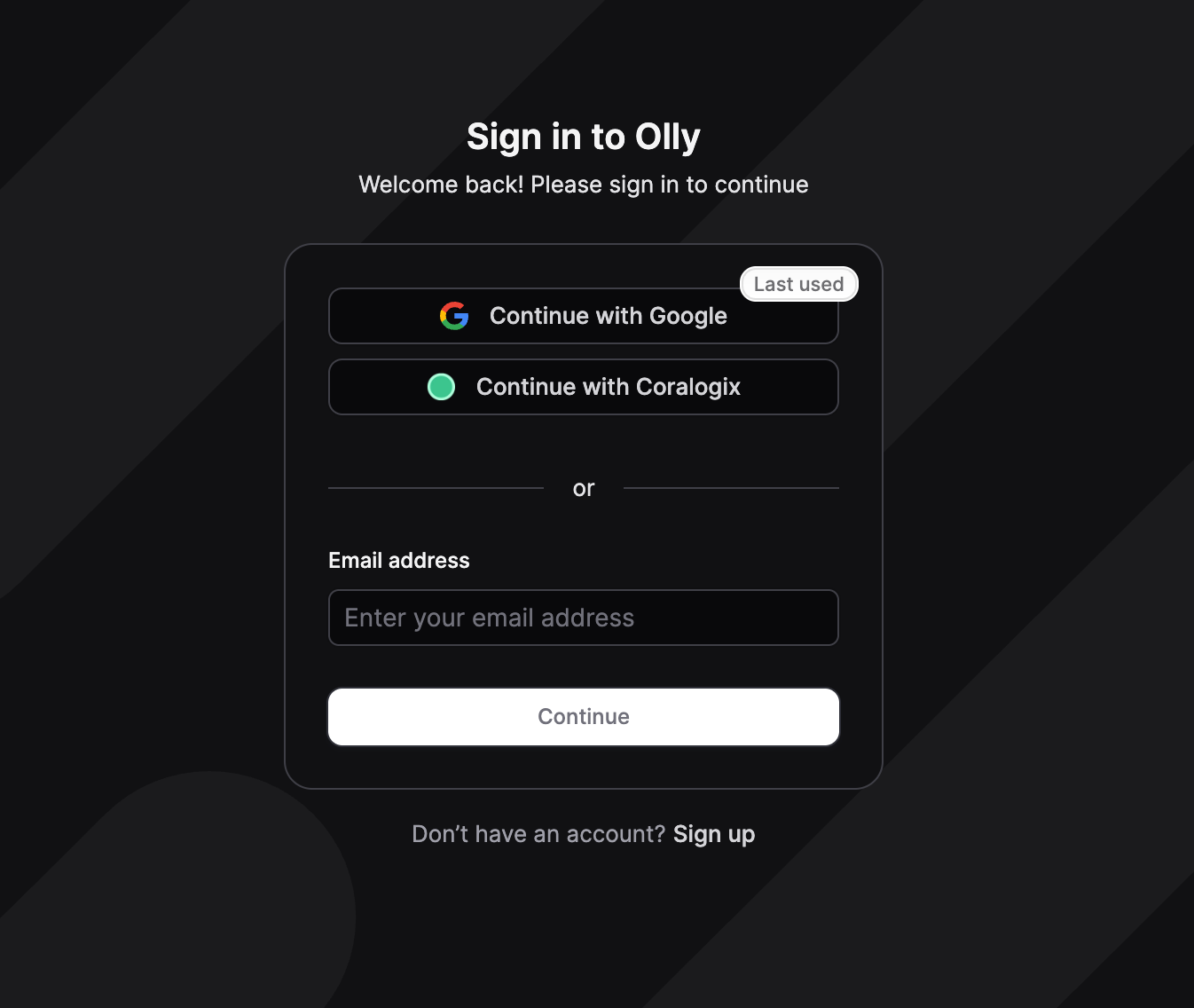
Continue with Coralogix
Use this option when you want to sign in using your Coralogix identity and context.- Select
Continue with Coralogix. - Select your organization’s region.
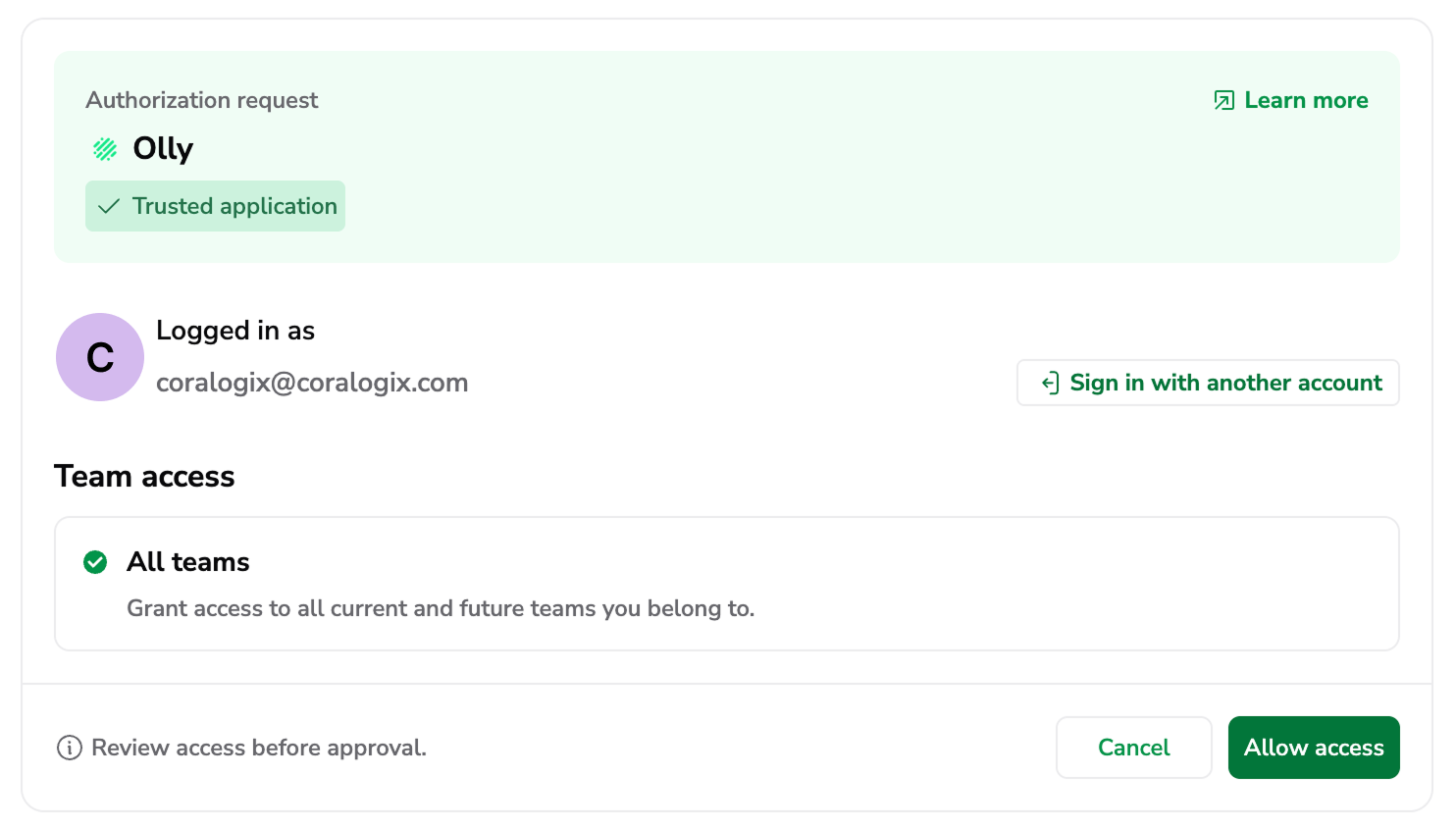
- Complete the authorization request by choosing your Coralogix account to sign in and selecting Allow access.
- Return to Olly.
If you have access to multiple organizations, you’ll be prompted to choose which organization to enter.
Coralogix also affects which region Olly opens.
What happens when you select Allow access
When you select Allow access, you authorize Olly to securely connect to your Coralogix account using OAuth. This means that:- An access token is issued: Coralogix grants Olly a secure access token that represents your approval.
- Scope is defined: The access token includes the teams and environments you allowed Olly to access.
- Data sources can be added: If your team is AI-enabled, Olly uses this access token when adding a data source via the Coralogix tab, limited to the token’s scope.
Continue with Google
Use this option to sign in to Olly with your Google account.- Select
Continue with Google. - Choose the Google account you want to use.
- Return to Olly.
Sign in with email
Use this option to sign in with an email address.- Select
Sign in with email. - Enter your email address and continue.
- Follow the on-screen steps to complete sign-in.
Sign up to Olly
Use this option if you don’t have an Olly account yet and your organization allows sign-ups (for example, during onboarding or a proof of concept) or you have received an invitation to sign-up.- Select
Sign up to Olly. - Enter your email address and follow the on-screen steps to create your account.
- After you finish sign-up, Olly takes you into your organization.
Join an organization
You can join an organization in two ways:- Direct invitation: someone adds your email address to the organization.
- Domain-based access: your email domain is allowed to join automatically (if enabled for the organization).
- If you have access to only one organization, Olly takes you there automatically.
- If you have access to multiple organizations, Olly asks you to choose which one to enter.
Choose an organization
If you have access to more than one Olly organization:- On sign-in, you’ll be prompted to choose which organization to enter.
- After you enter an organization, you can switch organizations later from the organization selector.
How Olly selects your region at sign-in
After you enter an organization, Olly opens a region workspace using the following order:- Last used region: Olly returns you to the region you used most recently within that organization.
-
Region from Coralogix sign-in: If you signed in using
Continue with Coralogix, Olly opens the region that matches your Coralogix sign-in context. - Organization default region: If neither of the above applies, Olly opens the organization’s default region.
What you can do after you sign in
Once you’re inside an organization:- You can use any shared data sources that an admin shared with you.
- You can create your own private data sources for your own use.
- If you are an Org Admin, you can create and manage shared data sources for your team.
Settings → Data sources.
Connect Coralogix during onboarding
When you chooseContinue with Coralogix during onboarding, or when you sign in with Coralogix while creating a data source, you go through a Coralogix OAuth flow.
During this flow, Olly requests access to:
- Read data from the Coralogix team or teams you select
- Create or use a Team API key on your behalf (depending on your Coralogix permissions)
- Olly creates a data source (private or shared, depending on your choice and role).
- You select the specific Coralogix team to associate with that data source.
Next steps
- Create a data source from
Settings → Data sources. - If you landed in the wrong region, switch regions from the region selector in the header or user menu.
FAQs
How do I sign in to Olly? Do I have SSO?
How do I sign in to Olly? Do I have SSO?
Any user can login to Olly with their Coralogix user.
Does Olly support regions and teams?
Does Olly support regions and teams?
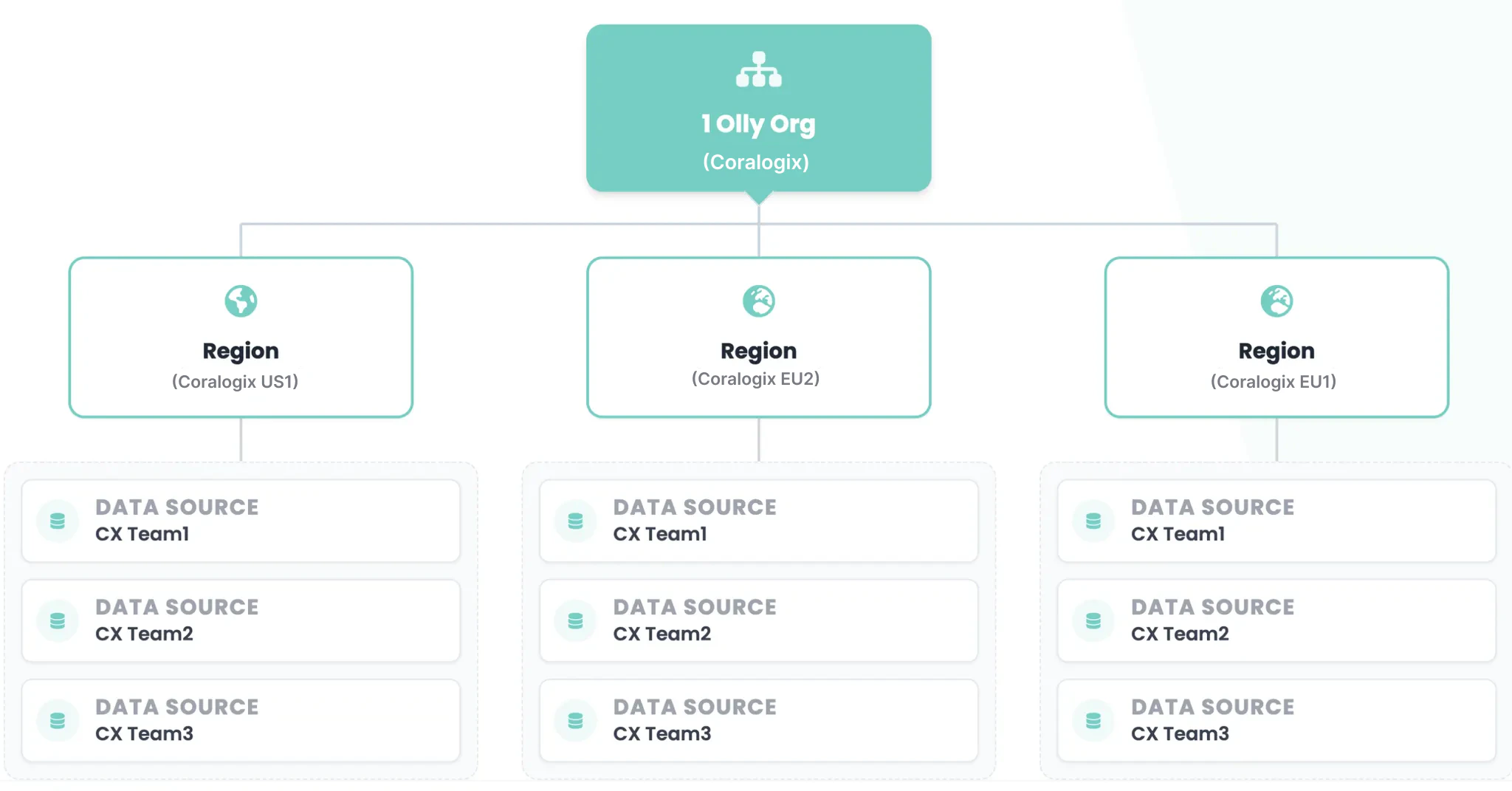
Yes - an Olly organization represents your account (or domain).
Within your account:
- You can operate across multiple regions.
-
In each region, users can connect one or more Coralogix teams as data sources.
Can I access multiple teams within a single prompt?
Can I access multiple teams within a single prompt?
No - each prompt runs against a single connected team (data source).
However, within the same chat, you can switch between teams — as long as they are in the same region — and continue the conversation using a different data source for the next prompt.