

Find answers to the most frequently asked questions about users management and billing.Documentation Index
Fetch the complete documentation index at: https://docs.olly.new/llms.txt
Use this file to discover all available pages before exploring further.
How do I define which users can access an organization in Olly?
How do I define which users can access an organization in Olly?
There are two ways to access Olly:
- Auto-invite by domain (recommended): If the organization has auto-invite by domain enabled, any user with an email from the approved domain can automatically join the organization. If a domain is missing, an admin can add it in the organization settings.
- Manual invitation: If auto-invite by domain is not used, an organization admin can manually invite users to Olly.
Can I monitor Olly token usage?
Can I monitor Olly token usage?
Yes - admins can monitor token usage at the organization level.
- Go to Settings → Usage Management.
- View token consumption across users and seat types.
- Usage is tracked per seat and resets monthly.
How can I invite users to Olly?
How can I invite users to Olly?
Olly organization admins can invite users by navigating to their user profile in the sidebar, selecting the organization name, then Members → Invite.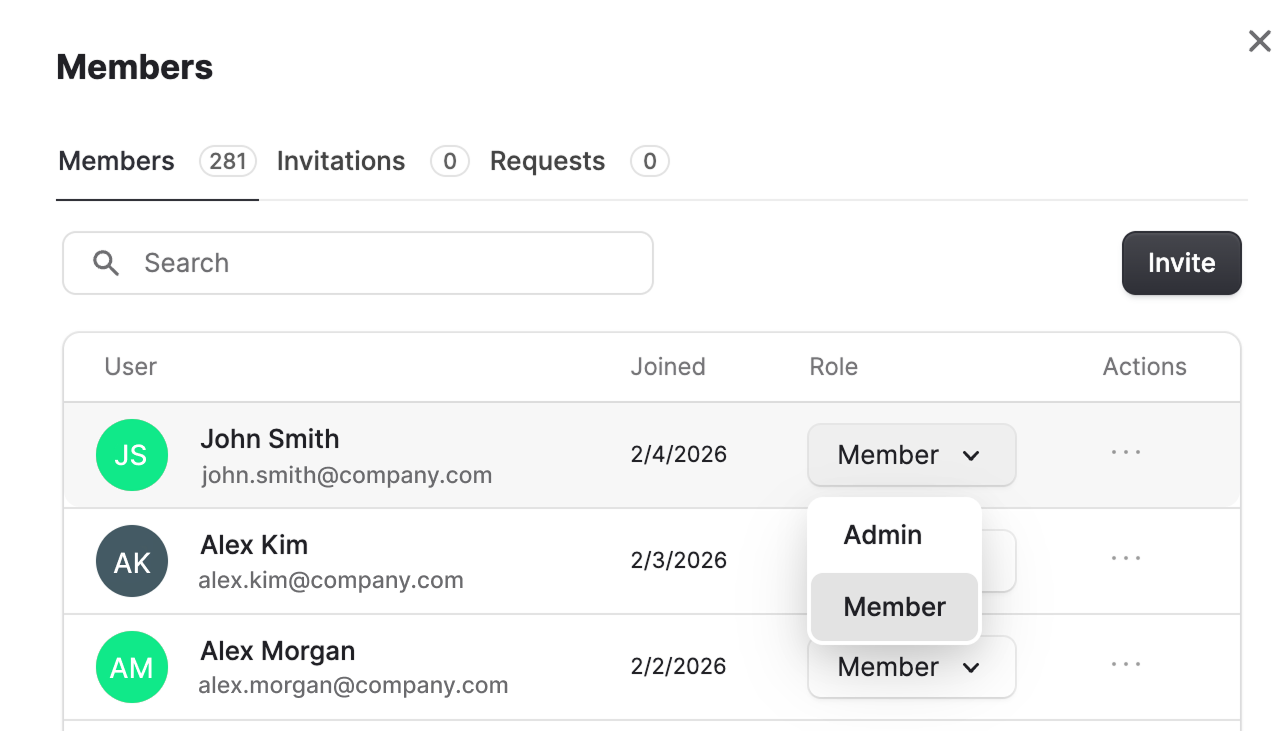
How does the seat model work?
How does the seat model work?
Olly has three plans: Free, Basic, and Pro. The main difference between these plans is the token limit.
- Users are assigned to seats.
- A user can be upgraded at any time, as long as a seat is available in the higher tier.
- A user can be downgraded anytime unless they already exceeded the token limit of the lower tier.
- If they exceeded it, the downgrade can only take effect at the end of the month.
Do users get a free trial?
Do users get a free trial?
Yes. Every Coralogix user automatically receives a Free Plan seat, allowing them to use Olly immediately until they reach their free-tier token limit.
Does Olly support pay-as-you-go?
Does Olly support pay-as-you-go?
Currently - no. Users must pay via contract for now.